Say hello To
Venue at North Campus
We would like to welcome you into your new home away from home and thank you for choosing to share your next year with us. The purpose of this handbook is to assist you with caring for your new home and also answer the most common questions you may have while living at Venue.
Please take a moment to look through this packet; it will give you the basic information you will need to get started and settled into your new home. If after looking through this packet, you still have questions or concerns, please feel free to connect with our office and a team member will be happy to help answer any of the questions you might have.
Venue at North Campus Management is committed to providing friendly, helpful services and events to all of our owners, vendors, and tenants.
We look forward to meeting each and every one of you!
Sincerely,
Venue at North Campus Staff
Finding Your New Address
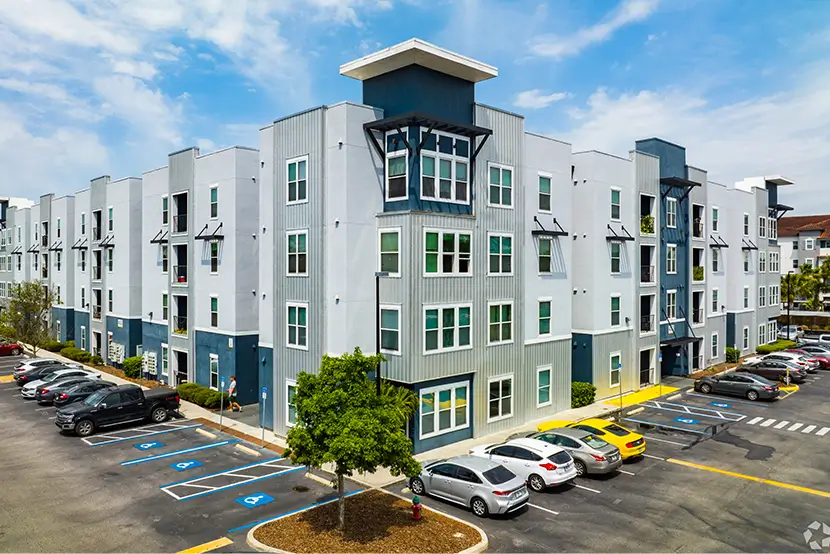
Building 1
4050 Woodspring Ln
[Apartment # / Bedroom Letter]
Tampa, FL 33613
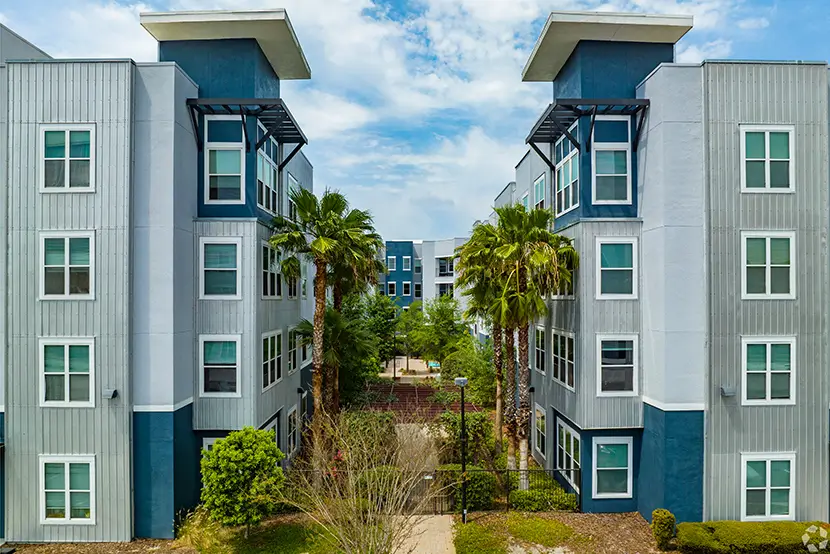
Building 2
3850 Woodspring Ln
[Apartment # / Bedroom Letter]
Tampa, FL 33613
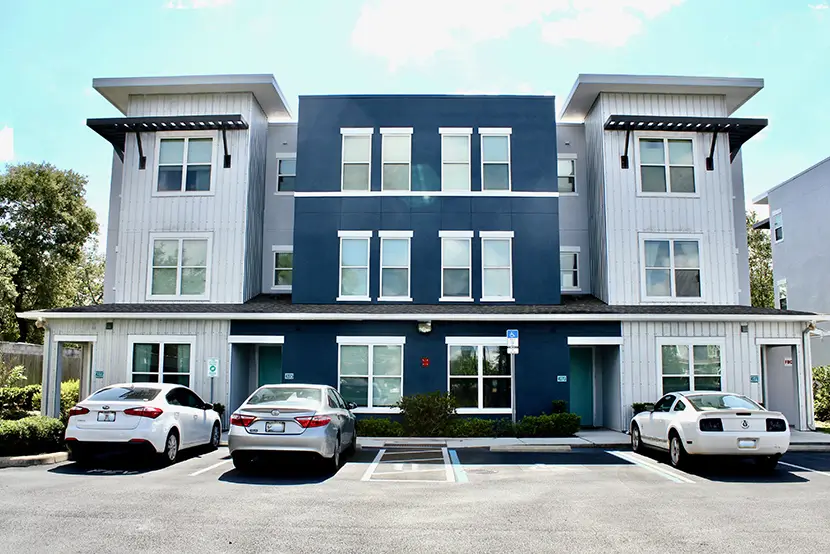
Building 3
4211 – 4277 Woodspring Ln
[Apartment # / Bedroom Letter]
Tampa, FL 33613
Office Hours
-
Mon - Fri:
10:00 am - 6:00 pm
-
Sat:
11:00 am - 4:00 pm
-
Sun:
Closed
Amenities & Gym Open 24/7!
Packages
Please be aware that packages will not be available for pickup on your move-in day. Our team will be focused on assisting residents with the move-in process and ensuring a smooth transition, so package distribution services will be temporarily unavailable. To avoid any delays or confusion, we kindly ask that you plan accordingly and avoid scheduling deliveries to the property on or around your move-in date.
Additionally, we ask that you refrain from sending any mail or packages to the property before your official move-in date. Our team cannot accept or store packages for individuals who are not yet current residents. Any packages received prior to your move-in may be returned to the sender, as the property cannot be held responsible for items that are lost, damaged, or misplaced. To ensure your deliveries are safely received, please wait until after you have moved in to begin sending mail to your new address.
Have Questions About Move-In Day?
Please contact the front office if you plan to pick up keys after the 18th.
Contact UsComplete Before Move-In
Before you can move in and collect your keys, all required items must be fully completed. This includes signing your lease, submitting any necessary payments and submitting any guarantor forms if required. These steps are essential to finalize your move-in process. If any of these items are incomplete at the time of your scheduled move-in, you will not be able to receive your keys or access your unit. We strongly encourage you to review your resident portal in advance and complete all outstanding tasks before arriving to the property, to ensure a smooth and timely move-in experience.
All residents must check-in individually to obtain all keys and parking permits. An ID must be presented to pick up keys. Only the lease holding resident will be able to check in and receive keys unless you submit an approved key release form prior to move-in. Guarantors must have a pre-authorized key release document to be issued keys, No Exceptions.
LEASE DOCUMENTS
All required documents must be completed prior to Move-In. From the Dashboard located in your Resident Portal, click on the Documents Tab. All
incomplete documents will be listed. Click on Action listed to finalize the incomplete document. Please be sure your guarantor has logged in to their portal to complete any unsigned documents as well.
1ST RENTAL INSTALLMENT AND DEPOSIT(S), FEE(S), HOW TO MAKE YOUR 1ST RENTAL INSTALLMENT
Move-in day can be very hectic and our goal is to make this process as seamless as possible, therefore the first installment, all deposits, and/or move-in fees MUST be paid no later than 08/01/2025. Keys will not be issued to anyone who has not paid their first installment. Please note, only certified funds will be accepted on move in day (ACH, money order or cashier’s check. No personal checks will be accepted on move in day).
To make or schedule an electronic payment, please log in to the resident portal by clicking the “Residents” button above. Once logged in, select “Payments” from the left-hand menu. Here, you can view your current balance, payment history, and any saved payment methods.
To submit a one-time payment, click “Pay Now” next to your total amount due. This will open a new screen where you can add or select a payment method and confirm your total balance. Once your payment method is added and verified, click “Submit Payment.” Please note that ACH payments may take some time to reflect on your account. You will receive an email confirmation once your payment is submitted.
To set up automatic payments, go to the “Payments” page and click “Auto-Payments” below your balance. Click “Add New Auto-Payment” and complete the five steps:
- Frequency: Select Monthly to repeat the payment on the same day each month.
- Amount: Choose to pay your total balance to cover all charges, including rent, utilities, parking, and insurance.
- Payment Method: Select your preferred method (this can be updated anytime).
- Payment Date: Choose a date before rent is considered late.
- Duration: Set the start and end dates for your auto-payment. If you plan to renew your lease, be sure to update this setting accordingly.
Please review and accept the terms and conditions before submitting. We recommend making your first payment manually, then setting up auto-pay to begin in September.
VEHICLE AND LICENSE PLATE INFORMATION (If applicable)
To obtain a parking sticker/access card at move-in, you will need to provide your car’s make, model, year and license plate information via your resident portal. Please note that parking is not guaranteed and must be requested prior to move-in day. Select Menu, Edit My Account, and My Vehicles to update or verify vehicle information.
EMERGENCY CONTACT
In the event the Resident is unable to be contacted the property will reach out to the Emergency Contact on File. You can add or update your Emergency Contact information from your resident portal. Go to your Resident Portal Dashboard, Select Menu, and Edit My Account.
COMPLETE PetScreening REGISTRATION
PetScreening is our pet registration provider, which simplifies the Pet registration process for Service Animals and Emotional Support Animals. Whether you are bringing a pet with you or not, everyone will need to create
an account. A registration email will be sent from PetScreening. To complete your enrollment, please follow all instructions provided in the email. Prior to key(s) being issued you’ll need to provide management with the account number via your Move-In Checklist.
TEXT OPT-IN
To provide you with the best possible resident experience, we encourage you to Opt-In to Text Message updates.
PHOTO ID UPLOAD
We ask that all residents upload a recent photo to their resident profile. Photo’s being attached to the resident profile help the Management Team identify a resident when needed. To upload photo go to your Resident Portal Dashboard, Click on Menu, Edit My Account, Personal Information, Upload Image.
BOOM (RENT REPORTING) ENROLLMENT (OPTIONAL)
Please sign the Boom Rent Reporting Addendum on your Resident Portal, located in the Documents tab. This is an optional product, designed to benefit primary residents at GMH properties. For $6 a month, Boom will report your rent payment for a positive impact on your credit report. By signing the addendum in your portal, you are agreeing to opt in to Boom. Residents can opt out at any point during their lease term, in the Boom app.
*Room assignments are subject to change. In the event that your unit/bed space are changed, you will be notified of the update. Management will make every effort to maintain current assignments and room(mate) preferences; however, management, in its sole judgment, will make the final decision on any assignment changes as necessary, regardless of preferences previously indicated.
Have Questions About Move-In Day?
Please contact the front office if you plan to pick up keys after the 18th.
Contact UsFinding Your Way Around
Following the designated traffic flow on move-in day is crucial to ensuring a safe, organized, and efficient experience for all residents and families. Please reference the attached PDF map for detailed directions on how to enter and exit the property, as well as designated unloading zones and parking areas. Adhering to this traffic plan helps prevent congestion, allows staff to assist more effectively, and keeps the process running smoothly for everyone. We kindly ask that you review the map in advance and follow all directional signage and staff instructions on site. Your cooperation is greatly appreciated and will help make move-in day a success for all! Please note that oversized vehicles (U-Haul’s or Box Trucks) will not be permitted in the unloading zone.
Need Help Finding Your
Assigned Apartment?
Have Questions About Move-In Day?
Please contact the front office if you plan to pick up keys after the 18th.
Contact UsCommunity & Clubhouse Access
Front Door Stratis Access
24 hours before your move-in you will receive a Stratis login email. Once you have created an account, you will use this to access your front door. On move-in day, when you go to your front door, use your app to create a personalized PIN code or use the hands free option on the app.
Support phone number for connection/app issues: 844-STRATIS (844-787-2847)
Mail Key
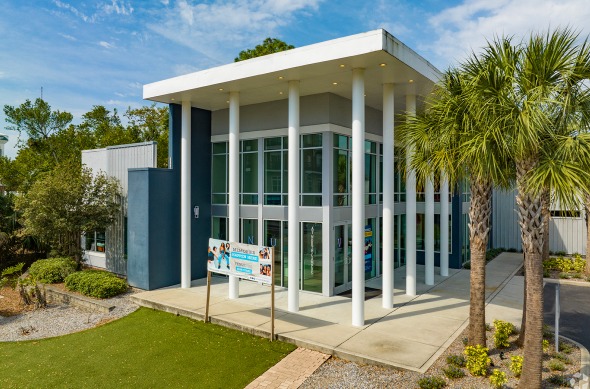
Opens your mailbox where letter mail is delivered. The mailroom is located outside on the corner of the Clubhouse nearest to the leasing office parking lot.
Wi-Fi Access
Wi-Fi Name: Venue
Password: onmyhonor
Have Questions About Move-In Day?
Please contact the front office if you plan to pick up keys after the 18th.
Contact UsWhat To Expect on Move-In Day
Move-In Process
August 18, 2026
- Our goal is to make your move-in experience as smooth and efficient as possible by ensuring every resident qualifies for Fast Pass Move-In. This means all required documents—including your signed lease, renter’s insurance, and any applicable guarantor forms—must be submitted and approved before your arrival, and all rental payments must be made in full.
- Residents who complete these steps by the deadline will benefit from a streamlined check-in experience. Upon arrival, you will check in at our designated walk-up move-in station where a team member will verify your completed checklist and provide your move-in packet. This packet includes your keys, any parking permits or access devices, wristbands, and other important information.
- If your checklist is not complete before move-in day, you will be directed to a separate area to finish any outstanding steps before receiving your keys.
- To ensure a quick and easy move-in, please complete all tasks in your resident portal before your scheduled arrival.
Move-In Times
4th Floor Units | Building 1 & 2 | 8:00am-9:30am
3rd Floor Units | Building 1 & 2 | 10:00am-11:30am
2nd Floor Units | Building 1 & 2 | 12:00pm-1:30pm
1st Floor Units | Building 1 & 2 | 2:00pm-3:30pm
Townhomes | 4:00pm-5:30pm
Where
We have three stations set up; Building 1 and townhomes located at building 1, Building 2 located in front of the courtyard in Building 2, Express move in located in front of the gate. Each floor will have a designated time for move in, I.e. Building 1 and 2 4th floor at 8:00 AM, etc. Express move in is open for any resident who completes their move in checklist a week prior to move in. (This is subject to change at this time)
Express Move-In Tent
Located just inside the front gate next to the clubhouse pool. In order to qualify for express move-in, your move-in checklist on the resident portal and your 1st month of rent will need to be completed by 8/11/2025.
Building 1 Tent
Building 1 tent: Reference map for location – for all move in’s in building 1 and townhomes.
Building 2 Tent
Building 2 tent: Reference map for location – for all building 2 move ins.
Have Questions About Move-In Day?
Please contact the front office if you plan to pick up keys after the 18th.
Contact Us